Previews
We can create previews for our components, and check the result in the browser, just like Storybook.
Config
Add below config to your Django settings
VIEW_COMPONENTS = {
    "preview_base": ["previews"],
    "show_previews": DEBUG,
}
preview_baseis the base path for your previews. You can add multiple paths to it.show_previewsis a boolean value, which is used to control whether to show the previews. It isTrueby default, here we set it with same value ofDEBUG. So the previews will only be shown in the development environment.
Add below url path to your Django urls
from django.contrib import admin
from django.urls import path, include

urlpatterns = [
    path('admin/', admin.site.urls),
    path("previews/", include("django_viewcomponent.urls")),      # new
]
Create a preview
├── previews
│   ├── modal_preview.py
│   └── tab_preview.py
from django.template import Context, Template
from django_viewcomponent.preview import ViewComponentPreview


class ModalComponentPreview(ViewComponentPreview):
    def default_modal(self, **kwargs):
        template = Template(
            """
            {% load viewcomponent_tags %}

            {% with modal_id='example' modal_title='Simple Test'%}
              {% component 'modal' modal_id=modal_id modal_title=modal_title as modal_comp %}
                {% call modal_comp.modal_trigger %}
                  <button type="button" class="btn btn-primary" data-bs-toggle="modal" data-bs-target="#{{ modal_id }}">
                    Launch demo modal
                  </button>
                {% endcall %}
                {% call modal_comp.modal_body %}
                  Modal Content
                {% endcall %}
                {% call modal_comp.modal_footer %}
                  <button type="button" class="btn btn-secondary" data-bs-dismiss="modal">Close</button>
                  <button type="button" class="btn btn-primary">Save changes</button>
                {% endcall %}
              {% endcomponent %}
            {% endwith %}
        """,
        )

        return template.render(Context({}))
Notes:
We create a
ModalComponentPreview, which inherits fromViewComponentPreview.We defined a public method
default_modal, which will be used to render the preview, anddefault_modalis the name of the preview, the returned value ispreview_htmlin thedjango_viewcomponent/preview.htmlWhen Django server run, it will search files in the
preview_basepath, and render the preview by calling the methods,default_modalin this case.In most cases, you can create multiple methods (multiple previews) for one component to demonstrate how to use the component.
Override Template
Create django_viewcomponent/preview.html in the project templates directory
This template file will be used to render the preview.
And this is an example
<!DOCTYPE html>
<html lang="en">
<head>
  <meta charset="UTF-8">
  <meta http-equiv="X-UA-Compatible" content="IE=edge">
  <meta name="viewport" content="width=device-width, initial-scale=1.0">
  <link rel="stylesheet" href="https://cdn.jsdelivr.net/npm/prismjs@1.28.0/themes/prism.min.css">
  <link href="https://cdn.jsdelivr.net/npm/bootstrap@5.2.3/dist/css/bootstrap.min.css" rel="stylesheet"
        integrity="sha384-rbsA2VBKQhggwzxH7pPCaAqO46MgnOM80zW1RWuH61DGLwZJEdK2Kadq2F9CUG65" crossorigin="anonymous">
</head>
<body>

<div>
  {{ preview_html }}
</div>

<div class="view-component-source-example">
  <h2>Source:</h2>
  <pre><code class="language-python">{{ preview_source }}</code></pre>
</div>

<script src="https://cdn.jsdelivr.net/npm/prismjs@1.28.0/prism.min.js"></script>
<script src="https://cdn.jsdelivr.net/npm/prismjs@1.28.0/components/prism-python.min.js"></script>
<script src="https://cdn.jsdelivr.net/npm/bootstrap@5.2.3/dist/js/bootstrap.bundle.min.js"
        integrity="sha384-kenU1KFdBIe4zVF0s0G1M5b4hcpxyD9F7jL+jjXkk+Q2h455rYXK/7HAuoJl+0I4"
        crossorigin="anonymous"></script>
</body>
</html>
We import Bootstrap CSS and JS to the page.
preview_htmlis the HTML generated by the preview method.
Now if we refresh the page and check again, the preview HTML should be rendered with Bootstrap CSS and JS.
Note
If you have other frontend assets such as Alpine.js, jQuery or CSS file, you should remember to include them in this template file django_viewcomponent/preview.html.
Check the preview
If we restart app and check on http://127.0.0.1:8000/previews, we should be able to see the all previews, if we click the default_modal link, we should be able to see the preview of the component and the code.
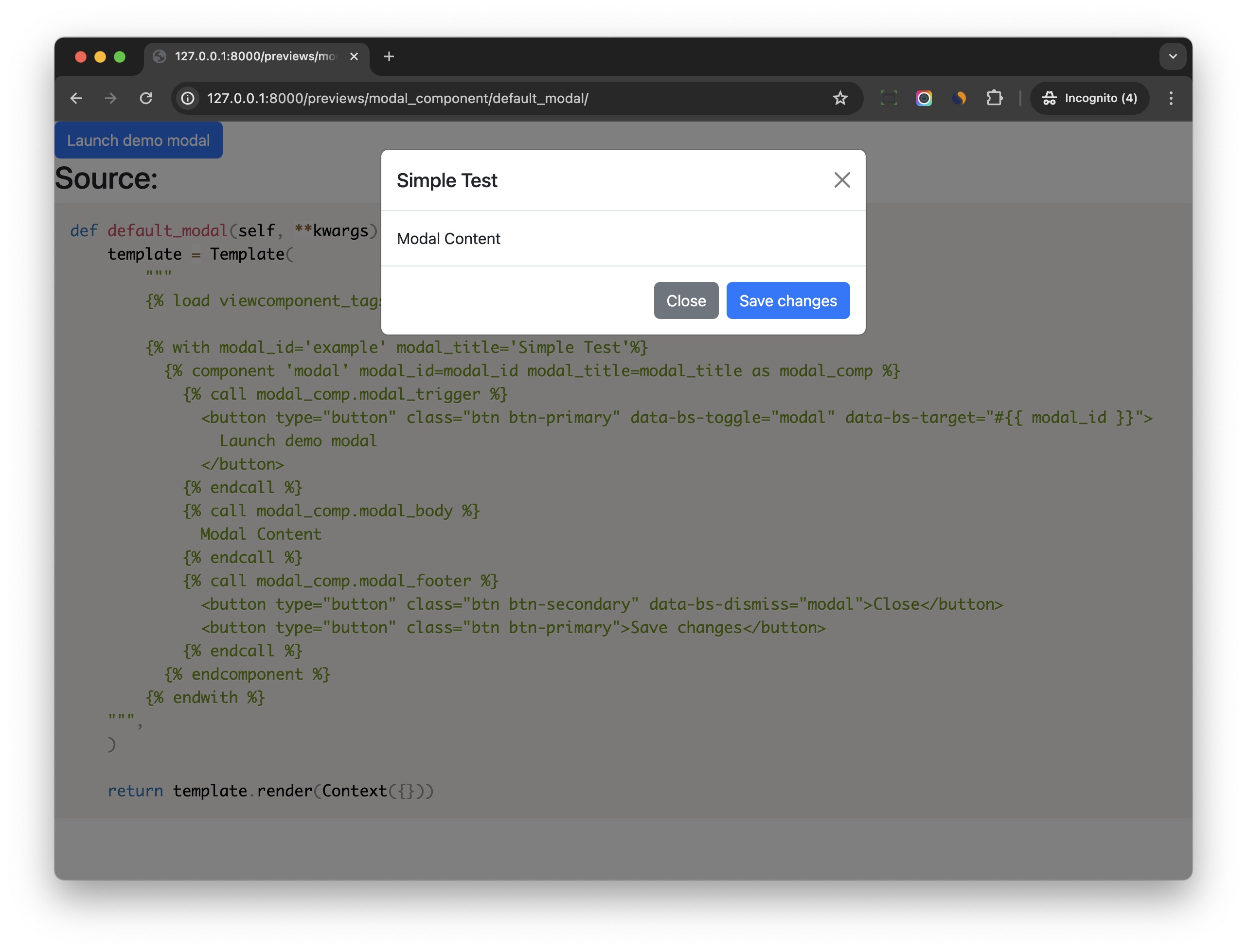
As you can see, the preview feature is very useful for us to develop and test the component in an isolated environment.
You can even build a simplified version of the component library with it.
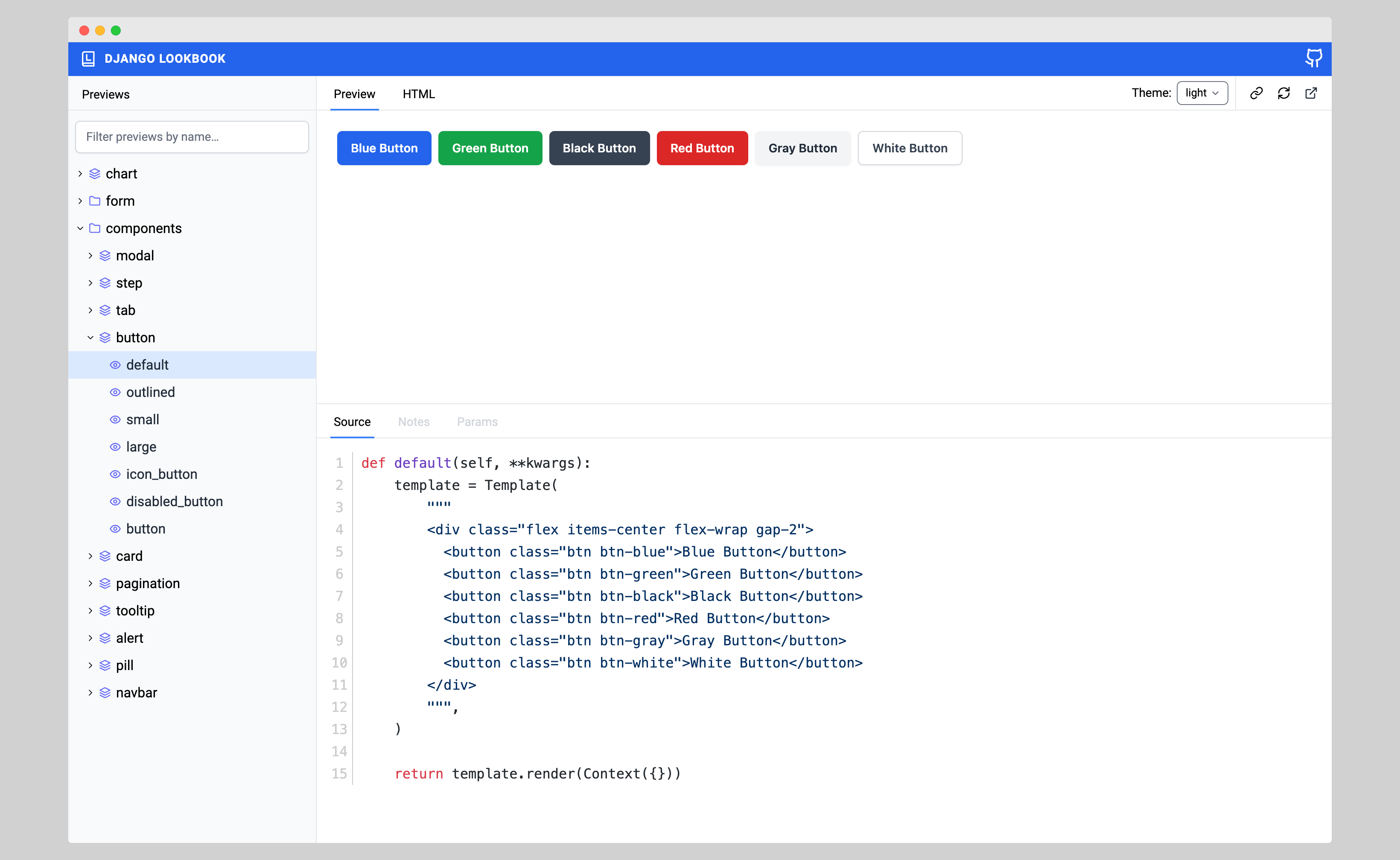
django-lookbook
If you’re seeking a visually appealing dashboard to efficiently manage previews, consider exploring django-lookbook for an enhanced experience.